Merg is an all-encompassing solution meticulously crafted to streamline tasks, reclaim valuable time, and, most importantly, elevate the client-advisor relationship to its fullest potential.
Product Design | Research | IA | UX Copy | Prototyping
My work consisted of conducting research, taking feedback, document, design, prototype and test the requirements for the templates experience. Designed an end-to -end product experience while wearing multiple hats, closely worked with devs, designers, marketing and external teams.
Facilitated multiple design sprints in the span of 5 weeks and iterating on the flows to achieve the best scenarios.
Figma
Whimsical
Miro
Jira
Workspace
Note: Due to non-disclosure agreement, I am limited in the amount of work I can present.
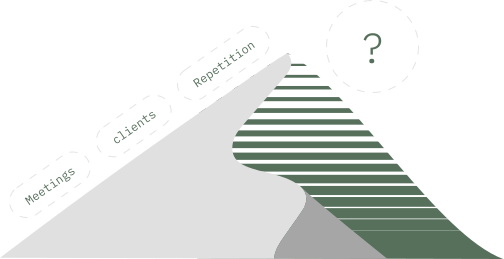
Creating meetings, managing agendas, rewriting similar content again and again can be a very frustrating practice for an advisor on a daily basis.
Come up something that makes their lives easier. (Stakeholder session summary)
“Create an experience that reduces manual effort and saves advisor time.”
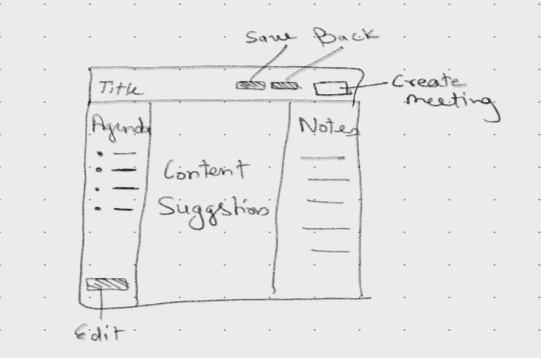
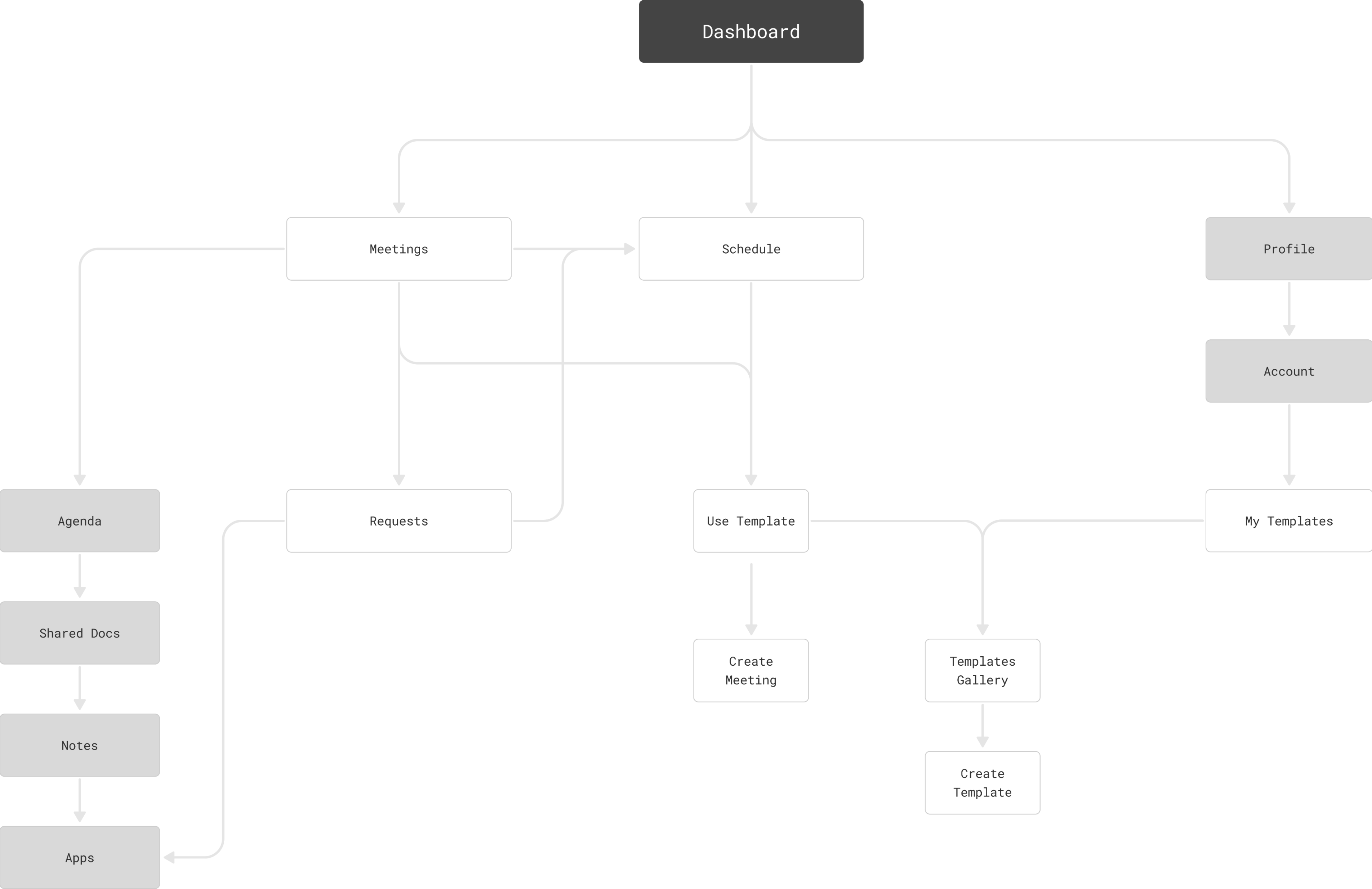
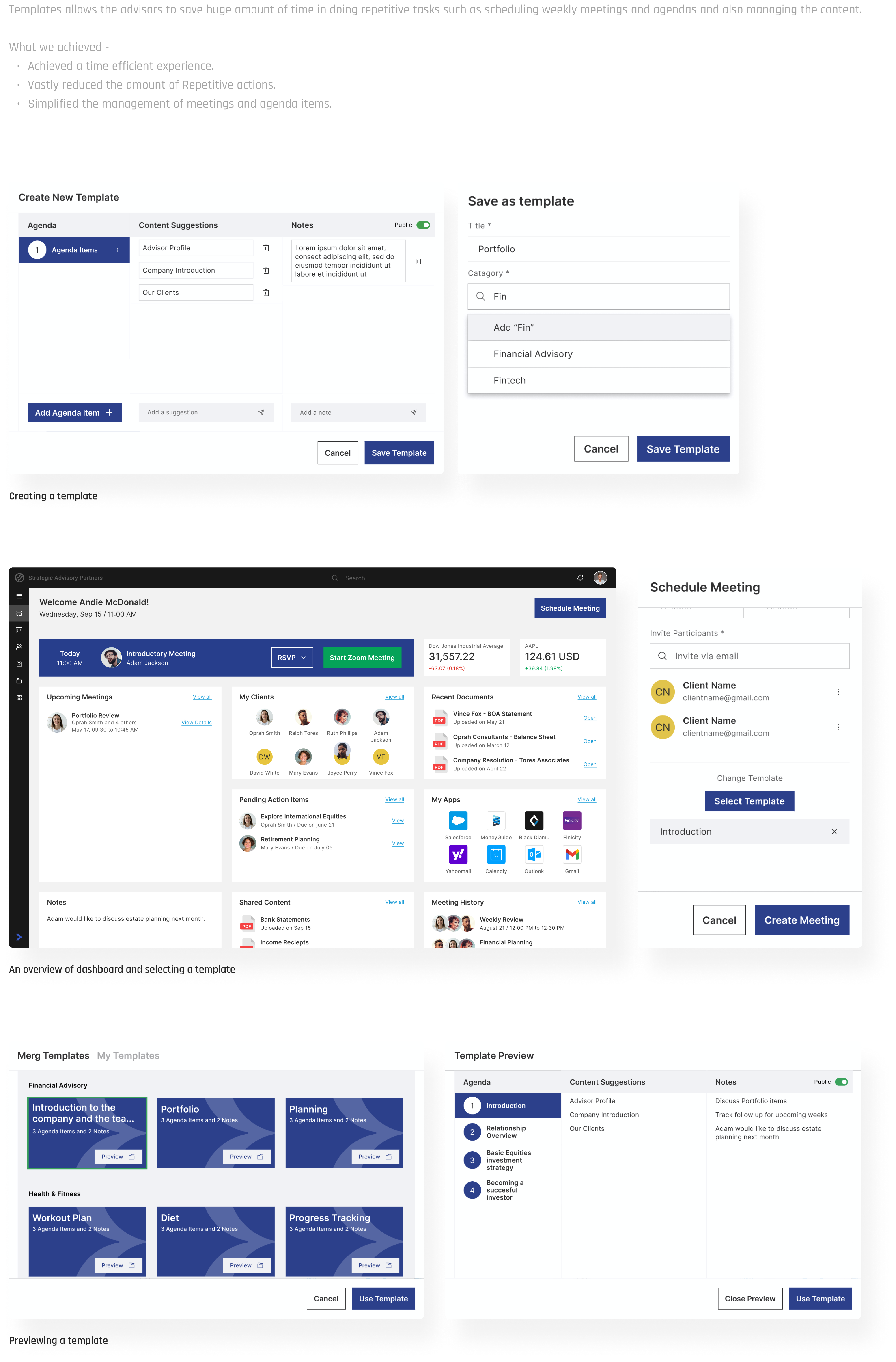
Based on multiple rounds of stakeholder interview sessions and competitor research, We discovered that we need to accommodate an experience which enables the advisors to save time in doing repetitive tasks such as scheduling weekly meetings and agendas and managing content in a more efficient way.
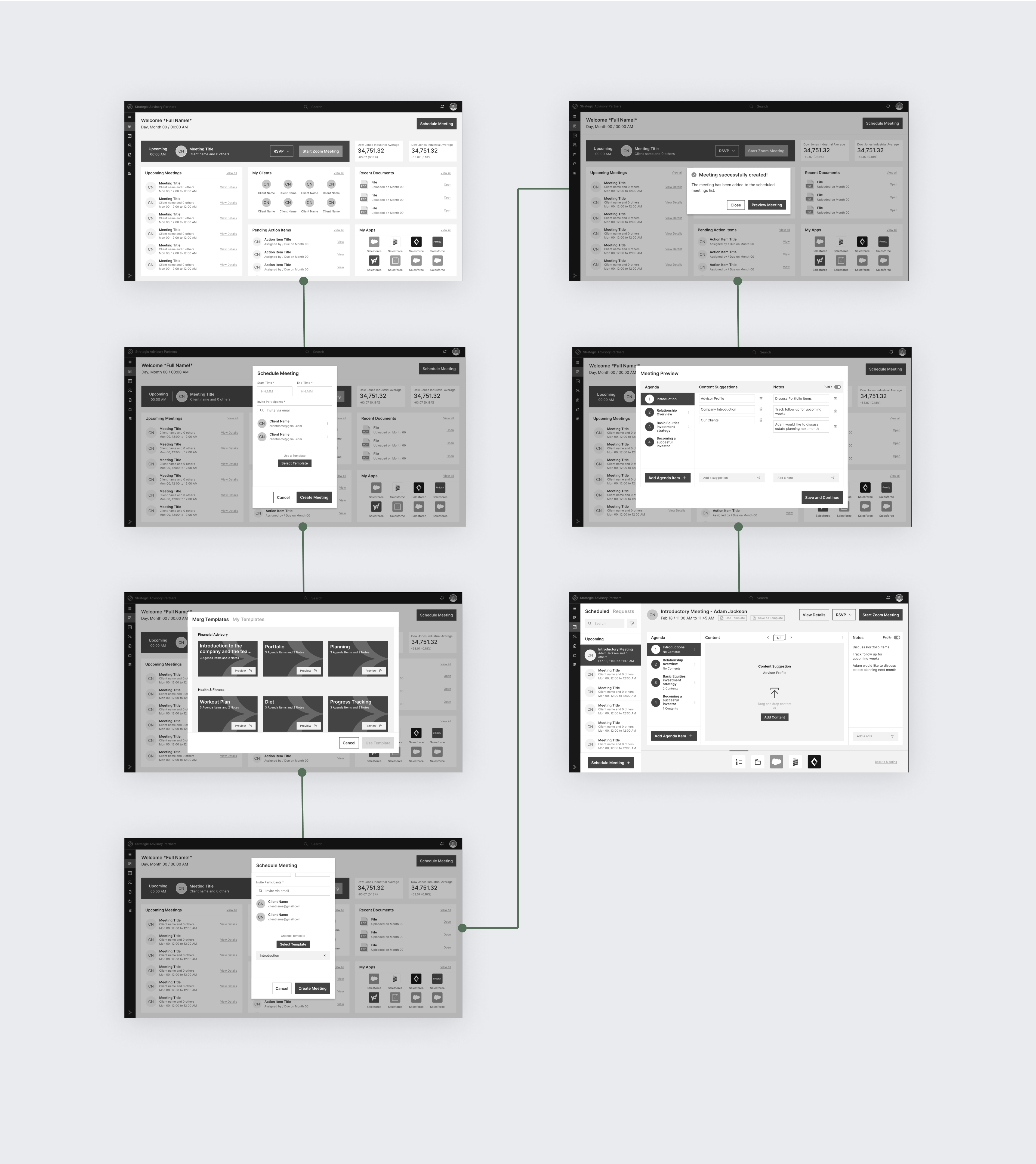
We started with creating a foundation to start with.
Based on the foundation, We began to iterate the initial concept to figure out the possibilities.
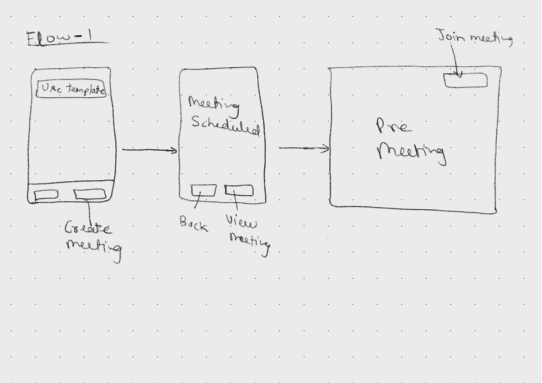
Steps included in flow 1:
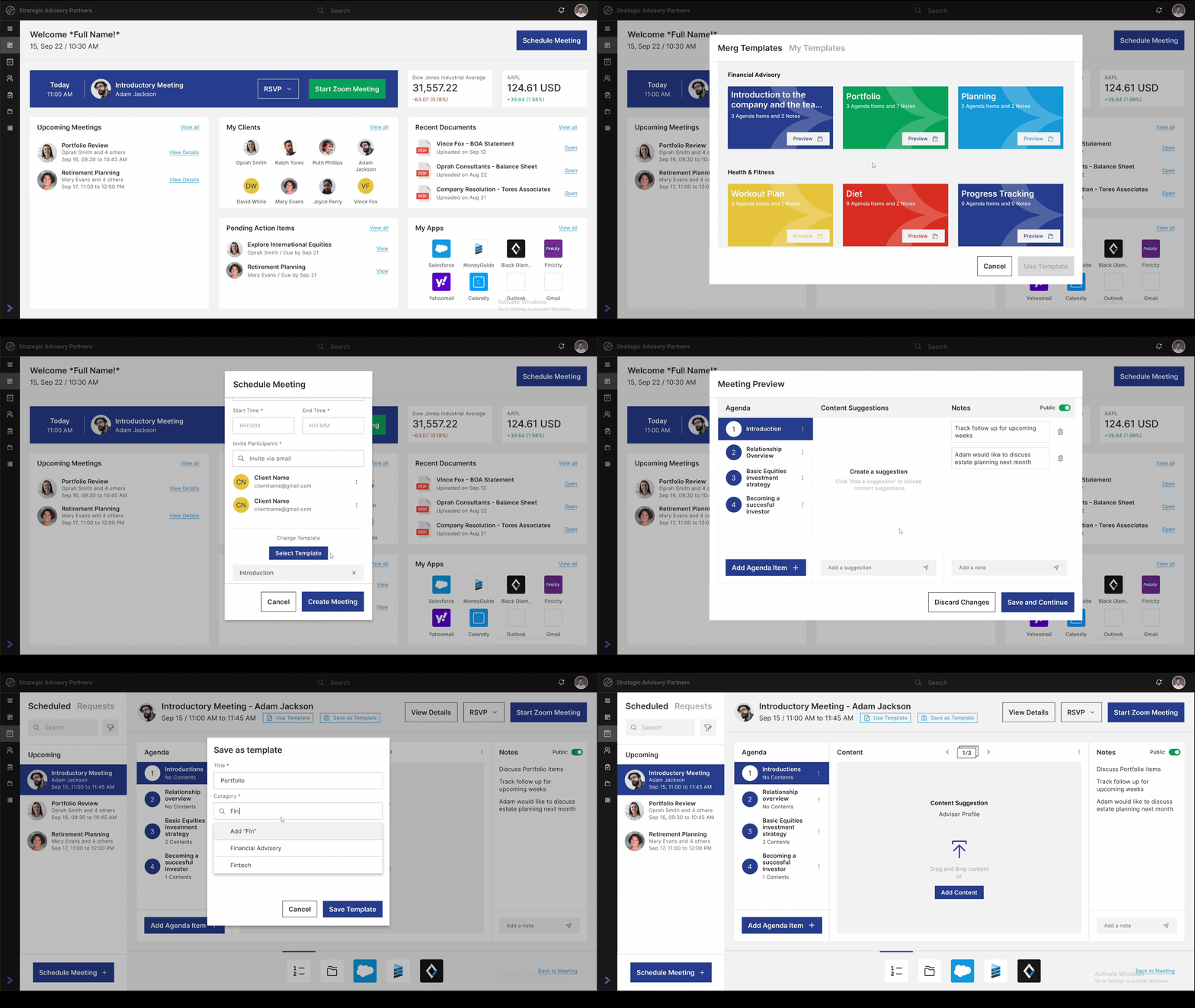
1. User click “Schedule Meeting” button.
2. User selects a template.
3. User Clicks “Create Meeting” and schedule a meeting.
4. User clicks “View Agenda” to design his/her meeting.
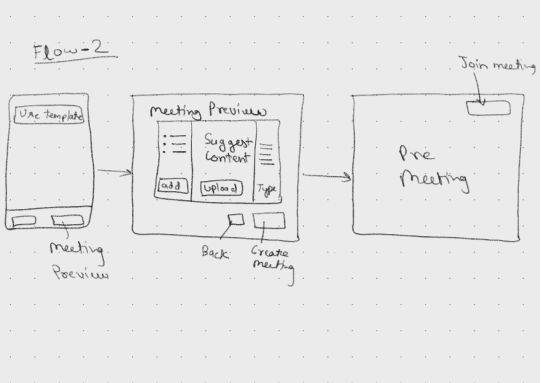
Steps included in flow 2:
1. User click “Schedule Meeting” button.
2. User selects a template.
3. User Clicks “Preview Meeting” and make any final changes.
4. User clicks “Create Meeting” to Schedule.
5. User Clicks “View Agenda” to design his/her meeting.
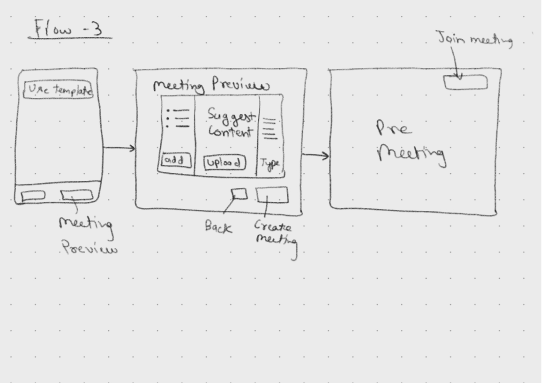
Steps included in flow 2:
1. User click “Schedule Meeting” button.
2. User selects a template.
3. User clicks “Create Meeting” and schedule a meeting.
4. User can click “Preview Meeting” or “Create Meeting” directly make any final changes.
We tested the above flows with our initial test users via prototype and later on in the UAT environment and learned that most of them were able to easily use flow 1 and 2. To simplify things even further, We combined flow 1 and 2 and created an intermediate flow which we called it as “flow 1.5” and tested it again with the users.
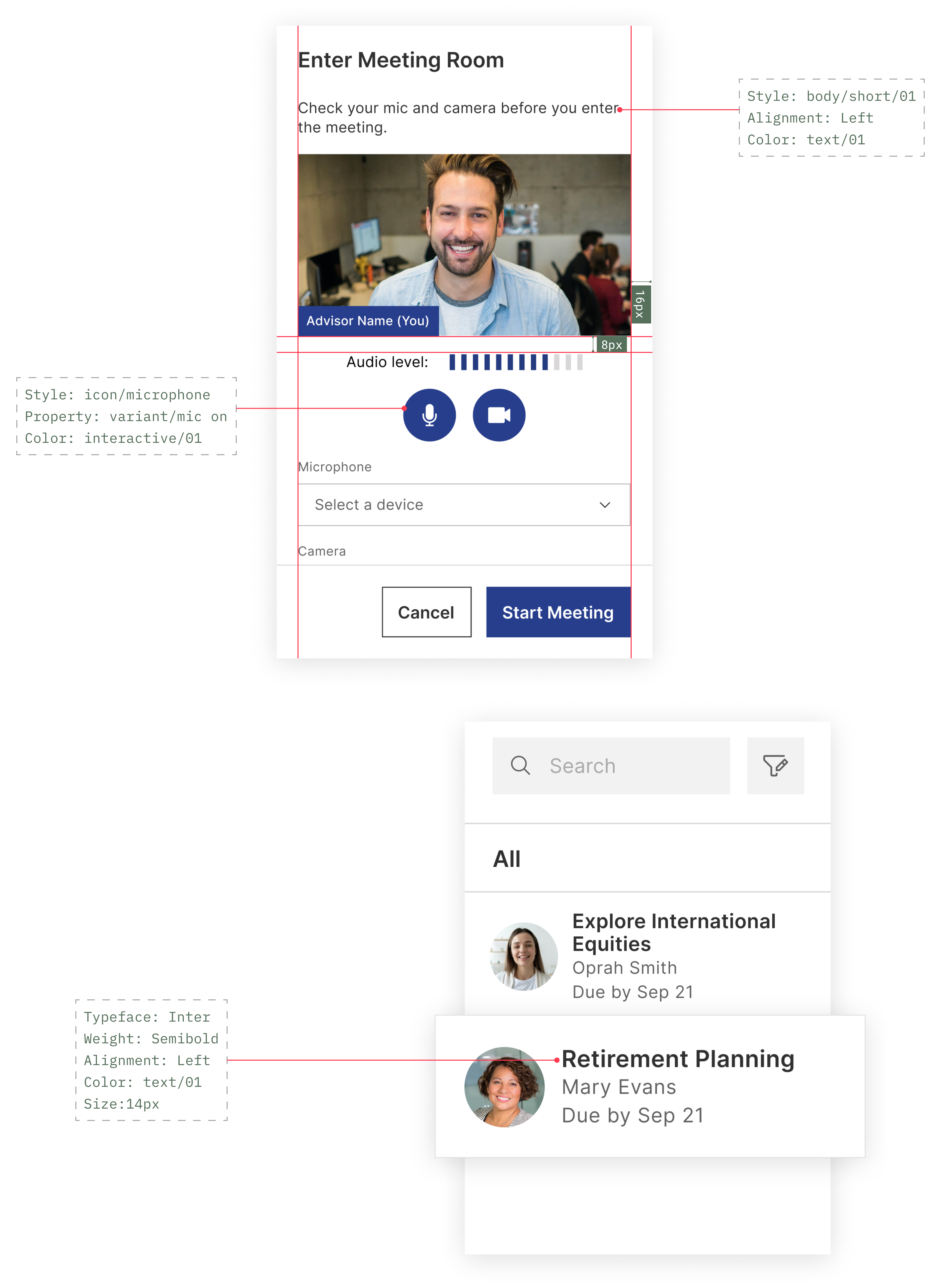
To keep design and development aligned, I worked closely with testing team to validate the design quality and we keep weekly demo meetings with product team for feedback. In order to maintain consistency, We maintained a design system for the product which we update regularly whenever there was any feedback or any new requirement was proposed.